

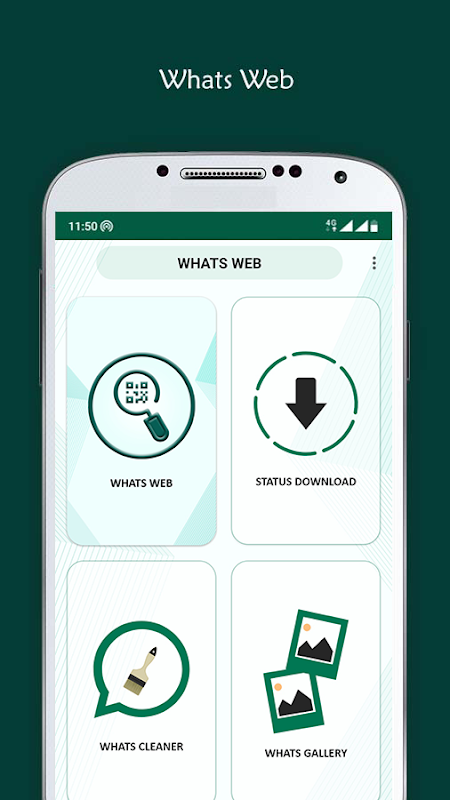
Whats Web provides seamless access to WhatsApp Web directly from your Android device, eliminating the need for a desktop browser. This application is designed for users who need to manage their WhatsApp conversations efficiently without switching between multiple devices. It’s particularly valuable for professionals and multitaskers who rely on WhatsApp for communication but prefer a larger keyboard and screen layout for typing. The app streamlines your workflow by bringing the full desktop experience to your mobile device.
Direct Access to WhatsApp Web
The app opens the official WhatsApp Web interface within a dedicated, optimized browser window. This ensures you have the full functionality of WhatsApp Web, including sending messages, sharing files, and viewing status updates. Your existing chats and contacts sync automatically upon scanning the QR code, providing a continuous experience. This method maintains the security and reliability of the official service.
Streamlined QR Code Login
Logging in is a straightforward process that uses the official WhatsApp QR code system. You simply open the app and point your phone’s camera at the QR code displayed on web.whatsapp.com. The session establishes a secure connection, mirroring your account onto the mobile interface. This process is identical to the standard web login, ensuring your data remains protected.
Optimized Mobile Browsing Experience
While providing access to the web client, the app is tailored for mobile interaction. It handles zooming, scrolling, and navigation in a way that makes the desktop site comfortable to use on a smaller screen. The interface is adjusted to reduce excessive pinching and zooming that can occur when visiting desktop sites on mobile browsers. This creates a more native app-like feel for the user.
Independent Session Management
Your WhatsApp Web session within the app operates separately from your primary phone’s WhatsApp application. This allows the phone app to be used normally for calls or other tasks while the web session remains active for messaging. It effectively turns your device into a dual-purpose tool for communication. This is ideal for users who need to keep a chat window open without interrupting other mobile functions.
Data Synchronization and Security
The application acts as a gateway and does not store your personal messages or contact information on its servers. All message data is synchronized directly and securely with WhatsApp’s official servers, just as it is when using a standard web browser. The security of your conversations relies on the end-to-end encryption provided by WhatsApp itself.
Frequently Asked Questions
This app provides the WhatsApp Web interface on your phone, which is the same experience as using WhatsApp on a desktop computer browser. It is useful for those who prefer the layout and typing experience of the web version.
No, it requires your main WhatsApp account to be active on your phone. The app functions by mirroring your existing phone’s WhatsApp session via the official QR code login method, so the primary app must be installed and functioning.
Your data remains secure as it uses the official WhatsApp Web platform, which employs the same end-to-end encryption. The app itself does not intercept, store, or have access to your private message content.